

Runtime Incident Classification: Turning a Noisy Alert List Into a Triage Decision
Here is a scene every security team knows. A reverse shell opens a connection to...

 Blog
Blog
Mar 24, 2026
We just published a deep breakdown of the Trivy supply chain attacks yesterday. Twenty-four hours later, we’re writing about the next one. Same threat actor. Different target. Worse implications.
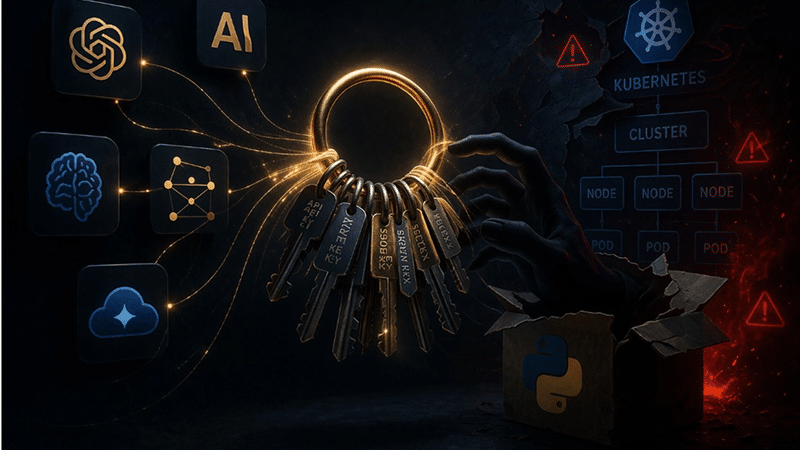
This time it’s LiteLLM, the Python library that acts as a universal API gateway for over 100 LLM providers. If you’re building anything with AI agents, MCP servers, or LLM orchestration, there’s a good chance LiteLLM is somewhere in your dependency tree. It has over 95 million monthly downloads on PyPI. And as of this morning, versions 1.82.7 and 1.82.8 contain a credential-stealing backdoor that harvests every secret it can find, moves laterally into your Kubernetes clusters, and installs a persistent backdoor on every node.
AI tooling is incredible. It’s also becoming the fattest, most credential-rich target in your entire infrastructure. Let’s talk about why.
.pth file that executes on every Python process startup, no import needed. Developer laptops, CI runners, and production servers are all equally at risk.pip show litellm across all environments. If you’re on 1.82.7 or 1.82.8, the damage may already be done. Remove the package, check for persistence artifacts (~/.config/sysmon/sysmon.py), audit kube-system for unauthorized pods, and rotate every credential that was accessible from the compromised machine. The last known-clean version is 1.82.6.On March 24, 2026, at 10:52 UTC, LiteLLM version 1.82.8 was published to PyPI. No corresponding tag or release exists on the LiteLLM GitHub repository. The package was uploaded directly to PyPI, bypassing the normal release workflow, which is a strong indicator of a maintainer account takeover.
Version 1.82.7 was also compromised, with malicious code injected into litellm/proxy/proxy_server.py.
The attack was discovered by researchers at FutureSearch when the package was pulled in as a transitive dependency by an MCP plugin running inside Cursor. That last detail matters: the victim never ran pip install litellm. It was pulled in automatically by their AI development tooling.
The compromise uses two injection vectors across the two malicious versions, and operates as a three-stage attack.
Version 1.82.7 injects an obfuscated base64 payload into litellm/proxy/proxy_server.py at line 128, between two unrelated legitimate code blocks. The payload executes at import time, meaning any process that imports the LiteLLM proxy triggers the malware. According to Endor Labs’ analysis, the injected code is triple-nested: base64 in proxy_server.py decodes to an orchestrator, which decodes a second base64 blob containing the actual harvester.
Version 1.82.8 adds a second, more aggressive vector: a .pth file called litellm_init.pth (34,628 bytes). This is where things get especially nasty. Python’s .pth files are processed by the site module during interpreter startup. They don’t need an import statement. They don’t need your code to reference LiteLLM. If the package is installed in your environment, the .pth file executes on every single Python process invocation. Opening a Python REPL? It runs. Running a Django management command? It runs. Your CI pipeline executing pytest? It runs.
The .pth launcher spawns a child Python process via subprocess.Popen, but because .pth files trigger on every interpreter startup, the child process re-triggers the same .pth, creating an exponential fork bomb. This is actually a bug in the malware, and it’s what led to the initial discovery: a developer’s machine ran out of RAM and crashed.
The attacker also rebuilt the wheel with a regenerated RECORD file. The RECORD entry for proxy_server.py contains the SHA-256 of the backdoored file, so standard integrity checks against the wheel’s own metadata pass cleanly. Source-to-artifact comparison is the only reliable detection method.
Once executing, the payload sweeps the host for everything of value:
The collected data is encrypted with a hardcoded 4096-bit RSA public key using AES-256-CBC (random session key, encrypted with the RSA key), bundled into a tar archive named tpcp.tar.gz, and exfiltrated via HTTP POST to models.litellm[.]cloud, a domain designed to look like legitimate LiteLLM infrastructure.
If the malware detects a Kubernetes service account token on the host (which is present by default on every pod unless explicitly disabled), it escalates:
/root/.config/sysmon/sysmon.py on each node’s host filesystem, with a corresponding systemd user service (sysmon.service).On non-Kubernetes hosts, the same persistence mechanism is installed locally at ~/.config/sysmon/sysmon.py.
.pth file auto-executes on Python startup
→ Spawns child process (base64-encoded orchestrator)
→ Decodes + executes credential harvester
→ Encrypts stolen data (AES-256-CBC + RSA-4096)
→ Exfiltrates to models.litellm[.]cloud
→ Checks for K8s service account token
→ Reads all cluster secrets
→ Deploys privileged pods to every node
→ Installs persistent backdoor (sysmon.py + systemd)
→ Polls checkmarx.zone/raw for additional payloads
Endor Labs attributes this attack to TeamPCP with high confidence. The C2 infrastructure, persistence tradecraft, encryption scheme, and kill switch logic are identical to the tooling used in the Trivy and KICS compromises earlier this month.
The timeline tells the story of a systematic campaign:
| Date | Target | Vector | Ecosystem |
|---|---|---|---|
| Feb 27 | Trivy | pull_request_target workflow exploitation | GitHub Actions |
| Mar 19 | Trivy (again) | Tag force-push, malicious v0.69.4 binary | GitHub Actions, Docker Hub, GHCR, ECR |
| Mar 21 | Checkmarx/KICS | GitHub Action compromise | GitHub Actions |
| Mar 22 | Aqua Security org | 44 internal repositories defaced | GitHub |
| Mar 24 | LiteLLM | PyPI maintainer account takeover | PyPI |
The progression is deliberate: security tools first (Trivy, Checkmarx), then AI infrastructure (LiteLLM). TeamPCP is targeting the tools that organizations trust implicitly, specifically vulnerability scanners and API gateways, because those tools have the broadest access to credentials and infrastructure.
Here’s the part that should keep you up at night.
LiteLLM isn’t just any Python library. It’s an LLM API gateway. Its entire purpose is to hold API keys for dozens of AI providers (OpenAI, Anthropic, Google, Azure OpenAI, Hugging Face, Replicate, Bedrock, and many more) and proxy requests to them. A typical LiteLLM deployment has more API keys in its environment than almost any other service in your infrastructure.
And LiteLLM sits at the center of the fastest-growing software ecosystem in the world: AI agents. It’s a transitive dependency of agent frameworks, MCP servers, and LLM orchestration tools. The developer who discovered this compromise wasn’t even using LiteLLM directly. It was pulled in by a Cursor MCP plugin.
This is the fundamental tension we’re facing: the AI ecosystem is amazing, and it’s also a credential dumpster fire.
Think about what a typical AI agent deployment looks like:
All of this lives in environment variables, .env files, Kubernetes Secrets, and cloud credential files. Those are exactly the targets that the LiteLLM malware harvests.
1. Check if you’re affected. Run pip show litellm in every environment. Check for versions 1.82.7 or 1.82.8. Don’t forget CI/CD environments, Docker images built today, and developer machines. Check uv caches too: find ~/.cache/uv -name "litellm_init.pth".
2. Check for persistence. Look for ~/.config/sysmon/sysmon.py and ~/.config/systemd/user/sysmon.service on every affected host. In Kubernetes, audit the kube-system namespace for pods matching node-setup-* with suspicious alpine:latest images and host filesystem mounts.
3. Rotate everything. If you ran the compromised version, assume every credential accessible from that environment is stolen. That means:
4. Audit Kubernetes clusters. If the compromised code ran in a pod with a mounted service account token, check whether unauthorized pods were created in kube-system. Review RBAC policies: if the service account had list secrets permissions across namespaces, assume all secrets are compromised.
This is where we shift from incident response to the question of how to prevent this class of attack from being this devastating in the first place.
Pin dependencies to exact versions with hash verification. pip install litellm==1.82.6 wouldn’t have saved you if your lockfile updated automatically. What does help: lockfiles with hash pinning (pip-tools with –generate-hashes, uv lock, or poetry lock). These ensure you’re installing exactly the artifact you reviewed, not whatever happens to be on PyPI right now.
Don’t mount service account tokens by default. Kubernetes mounts a service account token into every pod unless you explicitly set automountServiceAccountToken: false. Most workloads don’t need it. The LiteLLM malware’s Kubernetes lateral movement is completely dependent on finding this token. Kubescape’s C-0034 control flags pods with automatically mounted service account tokens.
Apply least-privilege RBAC. Even when a service account token is needed, it shouldn’t have list secrets across all namespaces. The malware reads every secret in the cluster, but only if the RBAC policy allows it. ARMO Platform’s runtime-based RBAC recommendations can show you which permissions are actually used versus what’s granted.
Monitor for anomalous runtime behavior. A Python web server suddenly spawning curl processes, reading /var/run/secrets/kubernetes.io/serviceaccount/token, or creating pods in kube-system is not normal behavior. Runtime detection, based on eBPF observation of actual system calls, catches supply chain attacks regardless of the entry vector. ARMO’s Cloud Application Detection & Response (CADR) profiles expected application behavior and alerts on deviations: unexpected process execution, anomalous network connections, suspicious file access patterns, and unauthorized Kubernetes API calls.
Treat AI workloads as high-value targets. The density of credentials in AI agent deployments makes them disproportionately valuable to attackers. Apply the same security rigor you’d apply to a payment processing service: network segmentation, secret rotation policies, runtime monitoring, and above all, the principle of least privilege for every API key and credential.
We said it in our Trivy post yesterday, and we’ll say it again: supply chain attacks are not theoretical risks. They are active, ongoing, and escalating.
In the span of five days, TeamPCP has compromised a security scanner (Trivy), a SAST tool (Checkmarx/KICS), and now an AI API gateway (LiteLLM). The pattern is clear: compromise trusted infrastructure, steal credentials, use those credentials to compromise more infrastructure, repeat.
AI and AI agents are transforming how we build software. The productivity gains are real and massive. But the ecosystem around them (the package registries, the transitive dependency chains, the MCP servers, the agent frameworks) is a target-rich environment where a single compromised package can cascade into thousands of affected systems, each loaded with API keys and cloud credentials.
The question isn’t whether to adopt AI tooling. It’s whether your security posture is ready for the reality that every library in your AI stack is a potential attack vector, and the credentials it has access to are exactly what attackers are after.
Indicators of Compromise (IoCs)
| Indicator | Type |
|---|---|
| litellm==1.82.7 | Compromised PyPI package |
| litellm==1.82.8 | Compromised PyPI package |
| litellm_init.pth (SHA-256: ceNa7wMJnNHy1kRnNCcwJaFjWX3pORLfMh7xGL8TUjg) | Malicious .pth file |
| models.litellm[.]cloud | Exfiltration C2 domain |
| checkmarx[.]zone/raw | Payload delivery C2 |
| ~/.config/sysmon/sysmon.py | Persistence backdoor |
| ~/.config/systemd/user/sysmon.service | Persistence systemd service |
| tpcp.tar.gz | Exfiltration archive filename |
| Privileged pods in kube-system matching node-setup-* with alpine:latest | K8s lateral movement |
Last known-clean version: litellm==1.82.6 (published March 22, 2026).
This post references analysis from FutureSearch, Endor Labs, Wiz, and Sysdig. The community is tracking the issue at BerriAI/litellm#24512.

Here is a scene every security team knows. A reverse shell opens a connection to...

A developer clones a repository and opens it in VS Code at 10:47 a.m. Before...
A platform security engineer gets an alert at 2:14 a.m. One of the LangChain agents...






 Continue as a guest